jupyter-copilot
reference: https://github.com/baolong281/jupyter-copilot
uv pip install jupyter_copilot
然后打开jupyter , uv run jupyter lab
然后shift + ctrl+c , 输入copilot,然后点击sign in ,会出现验证码,根据提示,在git page上输入验证码,即可。
disable/enable copilot,settings- editor settings ,搜索copilot, check即可。
如果用 mac,还需要额外安装 node
brew install node
jupyter to md
llm不能读nbs,但喜欢md,所以需要把nbs转成md
jupyter nbconvert --to markdown your_notebook.ipynb
shift+ctrl+c
可以让搜索栏出来
Trust all ipynb
find . -name "*.ipynb" -exec jupyter trust {} \;
然后再
uv run jupyter lab
更新完nodejs之后需要重新build
uv run jupyter lab build
Inline completer
jupyterlab 4.1+ version
Settings --> Settings Editor --> Inline completer --> check 'Enabled'
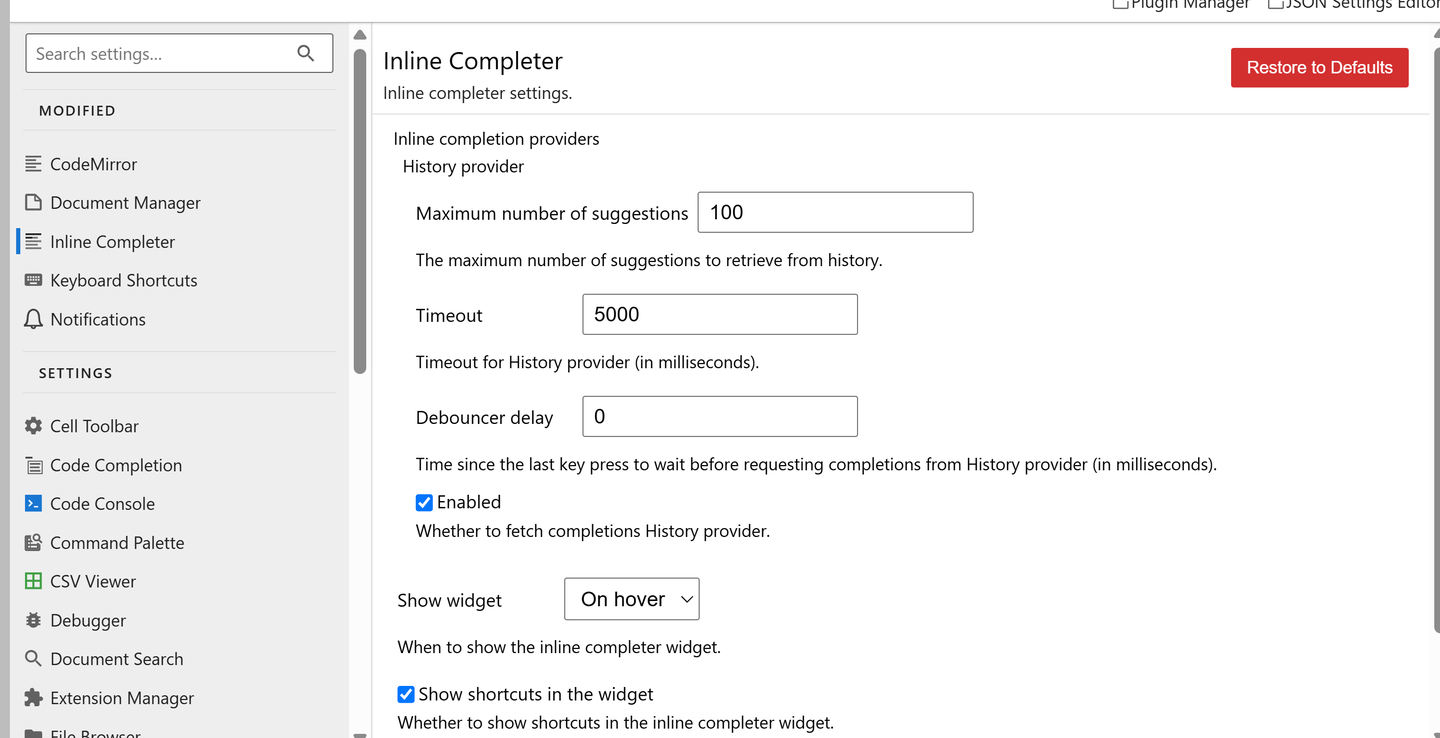
添加图片注释,不超过 140 字(可选)
之后可以把shortcut改成tab, Keyboard Shortcuts -->Accept Inline Completion --> Tab
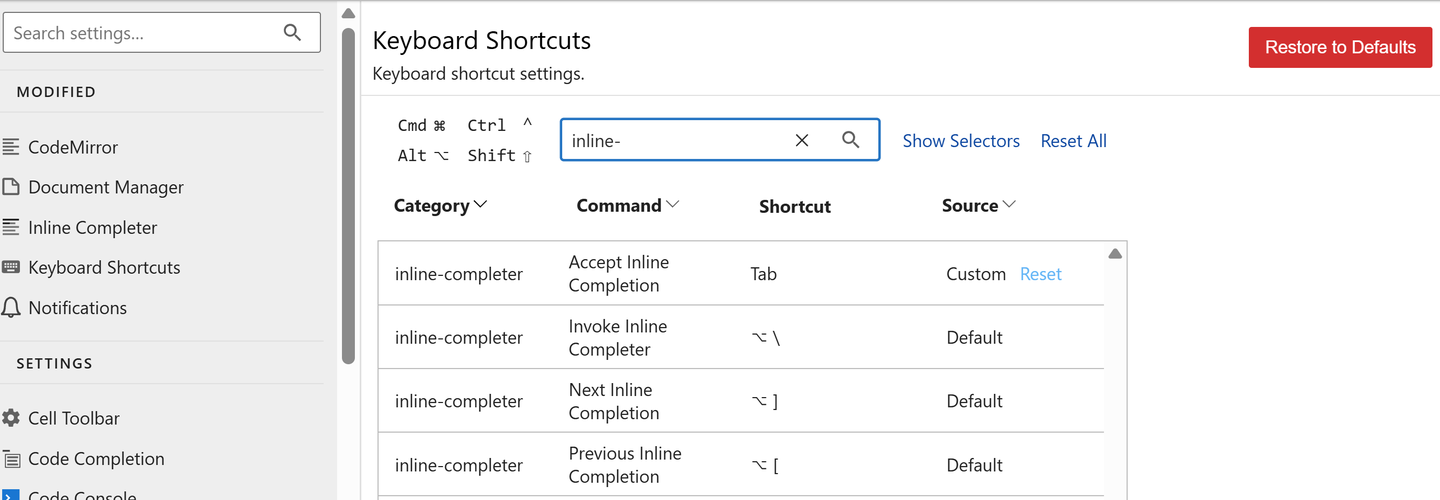
添加图片注释,不超过 140 字(可选)
Auto close Brackets
同样的setting里,CodeMirro --> Auto Closing Brackets
添加图片注释,不超过 140 字(可选)