skills
在skills里安装一些常用的,比如slides, spreadsheet, pdf, jupyternotebook, playwright-interactive等。
在prompt里用$skill来调用,比如
Query my database and create a $spreadsheet with my top 10 customers.

Requirements:
- Define “top” using the most reliable available metric (e.g., revenue, ARR, usage), and state which one you used.
- Include consistent columns (name, metric, period, segment, notes) and clear units.

Constraints:
- Do not guess missing values; leave blanks or mark as N/A.

Output:
- Generate the $spreadsheet and include the filename/path.
- Add a short note explaining the ranking logic and any data caveats.
做一个有质感的国际象棋的 app
Use $Playwright Interactive to build and test a 3D chess game electron app where you can click and move the pieces. Make the chess game beautiful with marble and glass, with realistic lighting effects. Test that castling works, en passant works and that you can play a game to completion with checkmates. Save in chess under this folder.
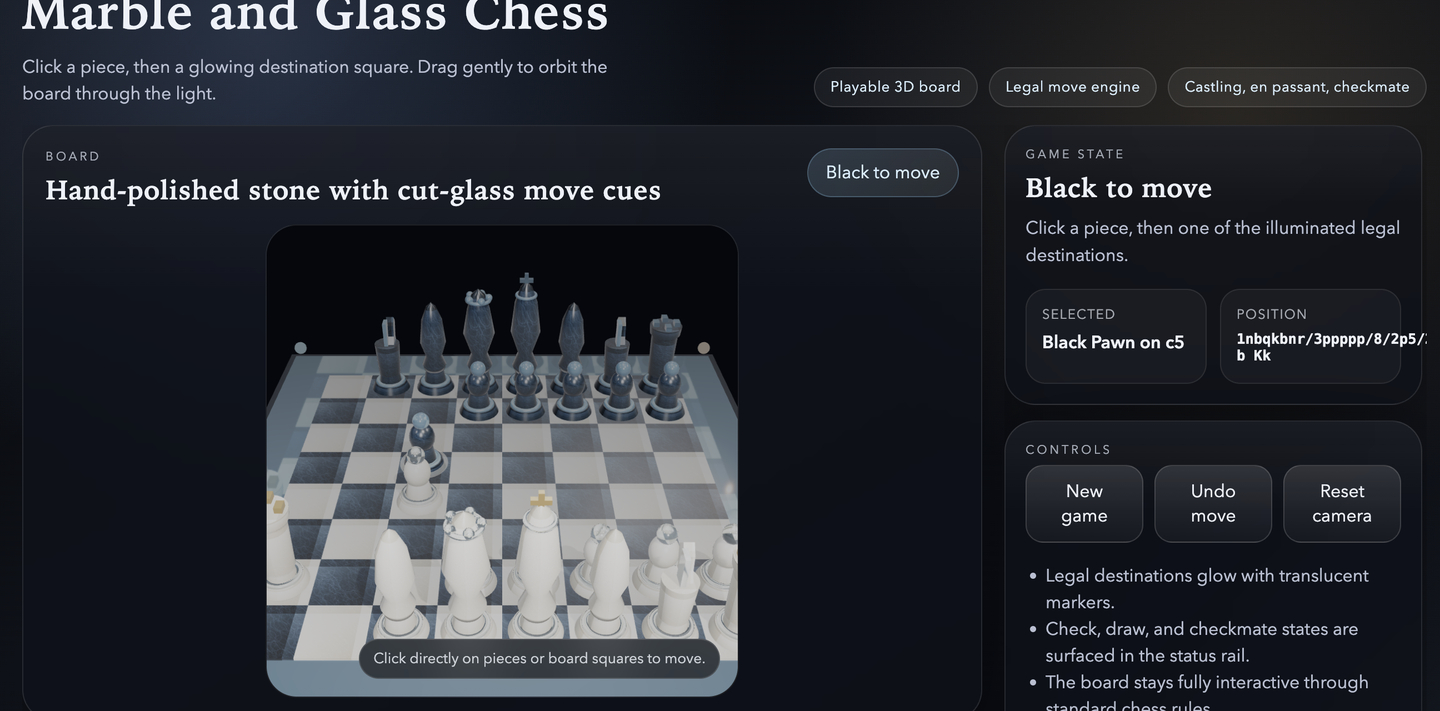
添加图片注释,不超过 140 字(可选)
注意中途需要时不时的给 permission,选择 accept 即可。
MCP
用 CLI 安装 MCP,需要先安装 codex CLI
npm install -g @openai/codex
查看当前安装的 mcp 有哪些
codex mcp list
安装一些重要的 mcp tools。根据官网:https://developers.openai.com/codex/mcp
codex mcp add chrome-devtools -- npx chrome-devtools-mcp@latest
codex mcp add openaiDeveloperDocs --url https://developers.openai.com/mcp
codex mcp add context7 -- npx -y @upstash/context7-mcp
安装完后重启codex 才能用。下面是一个 context7 的例子。
how do I set up FastHTML in the current version, use context7